How to Build Real-Time Voice Agents in Minutes with Pipecat
Author
Sai Charan Guntupalli
Published
Apr 24, 2026
Read Time
5 min read
Real-time voice agents feel almost human. Pipecat is the open-source framework that lets you build one in minutes — here's how to ship your first bot.
Over the past few years, using AI we have been interacting using text where the responses are more natural and dynamic. But voice is changing it again making it even more natural and feels almost human.
Voice agents are AI-powered systems that can listen, understand, and respond in real time using natural speech. Unlike traditional IVR systems that trap you in a maze of “press 1 for billing”, modern voice agents hold actual conversations. They understand context, handle interruptions, recover from misunderstandings, and respond in milliseconds.
So why are people moving toward real-time voice agents?
Users no longer tolerate robotic, slow, turn-based voice interactions. They expect the same fluency they get talking to a person things like low latency, natural pacing, the ability to cut in mid-sentence. A half-second delay can disrupt the user experience.
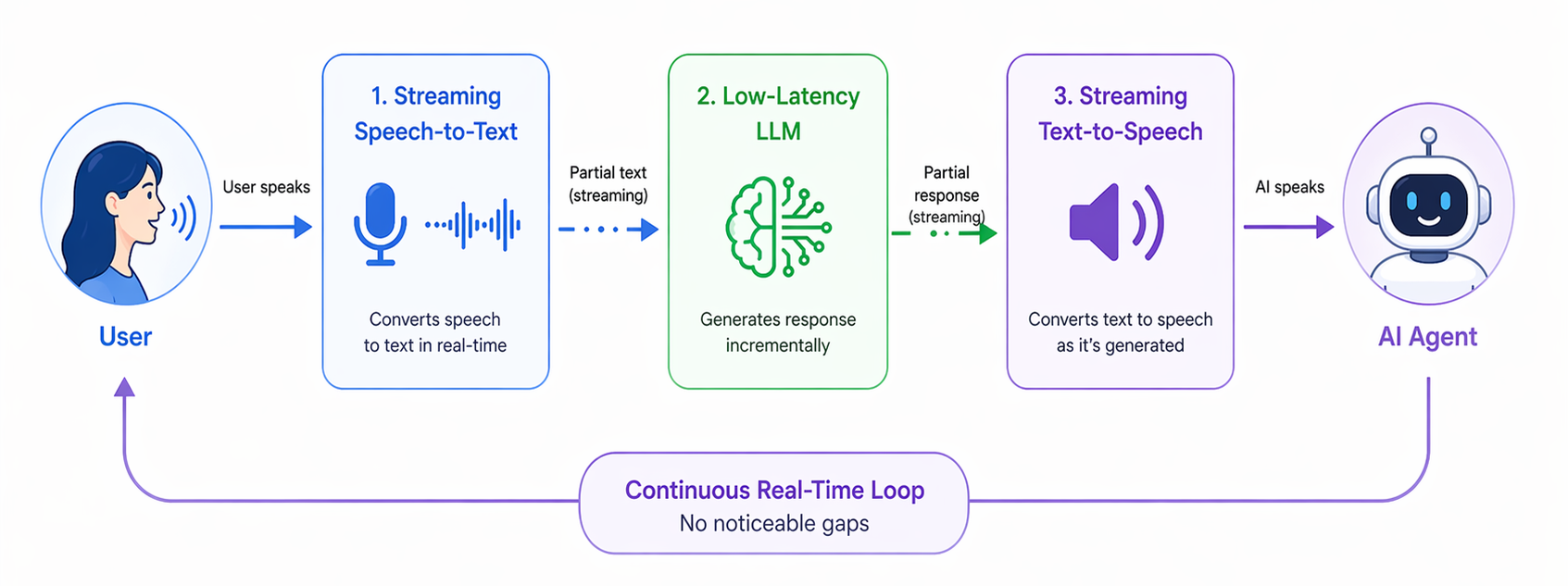
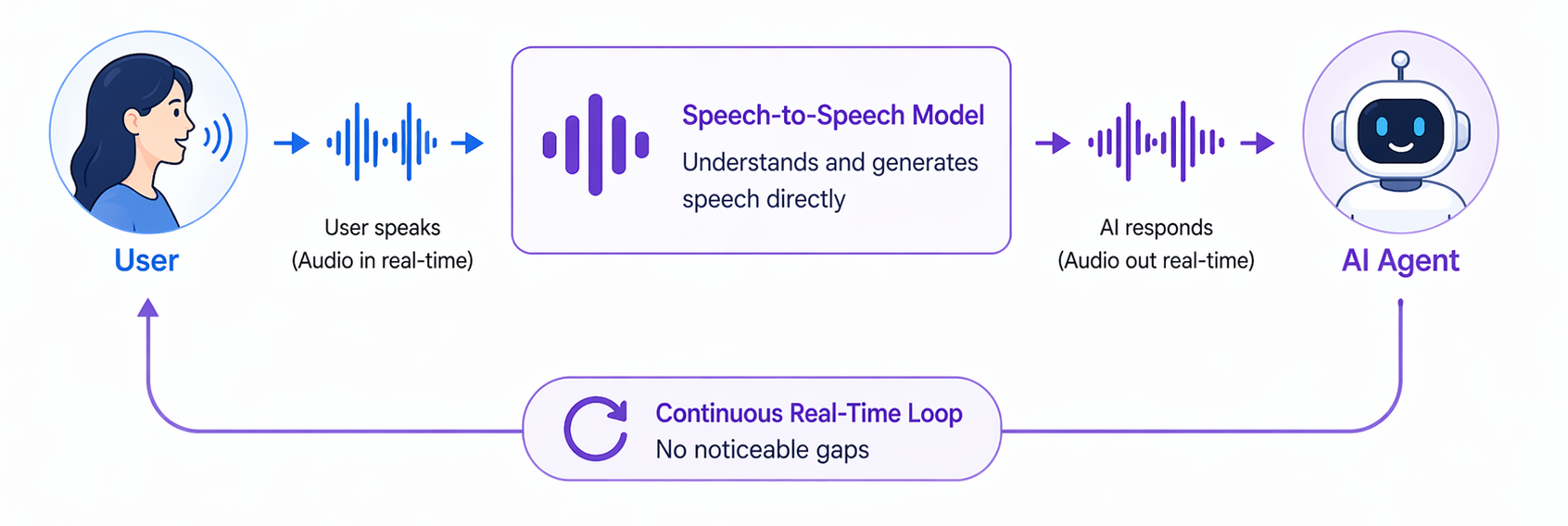
Real-time voice agents are pushing boundaries. Today, there are two main approaches to enabling seamless conversations. The first is by using streaming speech-to-text, low-latency LLMs, and streaming text-to-speech to keep the conversation flowing without noticeable gaps. The second relies on speech-to-speech models that directly process audio input and generate audio output. The result feels less like “talking to a bot” and more like talking to a very capable assistant.
STT → LLM → TTS Pipeline
Speech-to-Speech Model
Source: ChatGPT
Industries from healthcare to customer support to logistics are adopting them rapidly, because they can handle workloads that would otherwise require human staff around the clock.
Enter Pipecat
Pipecat is an open-source framework purpose-built for real-time voice and multimodal AI agents. It handles the hard parts of building a voice pipeline so you don’t have to wire everything together yourself.
At its core, Pipecat gives you:
- A pipeline architecture — audio moves through a chain of processing stages, such as VAD (voice activity detection) → STT → LLM → TTS → output. Each component is modular, allowing it to be easily replaced or customized.
- Built-in transport layers — WebSocket, WebRTC (via Daily), telephony (Twilio, Plivo), and more.
- Provider integrations — For instance: Deepgram, AssemblyAI, and Whisper for speech-to-text; OpenAI, Anthropic, and Gemini for language models and ElevenLabs, Cartesia, and Google for text-to-speech.
- Interruption handling — users can cut in while the agent is speaking, just like a real conversation.
- Turn detection — the agent knows when you’ve finished speaking and when to respond.
Pipecat abstracts away the complexity of managing audio streams, coordinating async stages, and handling the edge cases that make voice hard. You define the pipeline, it runs it.
Pipecat CLI
Getting started used to mean reading through docs, wiring up configs, and writing boilerplate. The Pipecat CLI removes that friction entirely.
Install it with:
### pip
pip install pipecat-ai-cli

### uv
uv tool install pipecat-ai-cli
Then create a new bot project:
pipecat createThe CLI walks you through choosing your transport (WebSocket, Daily WebRTC, phone), your STT/LLM/TTS providers, and generates a complete, runnable project for you. Within a couple of minutes you have a working voice agent skeleton.
Configure Your Environment
After the project is generated, open the .env file in the project root and fill in your API keys for the services you selected. For example:
OPENAI_API_KEY=your-openai-key
DEEPGRAM_API_KEY=your-deepgram-key
ELEVENLABS_API_KEY=your-elevenlabs-key
Each provider will have its own key. The generated project includes a .env.example with every variable listed.
Start Your Bot
Once your environment is configured, start the server:
uv run server.pyPipecat spins up a local server and opens a dashboard in your browser. The dashboard lets you connect to your bot directly, so there’s no need to wire up a frontend or configure a phone number just to test. You can have a live voice conversation with your agent right there, watch the pipeline stages in real time, and iterate on your prompt or pipeline config without restarting from scratch.
What’s Next
Once your bot is running locally, you can:
- Swap providers — try a different STT or TTS to find the best latency/quality tradeoff for your use case.
- Add tools — give your agent the ability to look up data, book appointments, send messages.
- Deploy — Pipecat bots are standard Python services; deploy them behind any server or container setup.
- Integrate telephony — connect to Twilio or Plivo to handle real phone calls.
Happy building!